
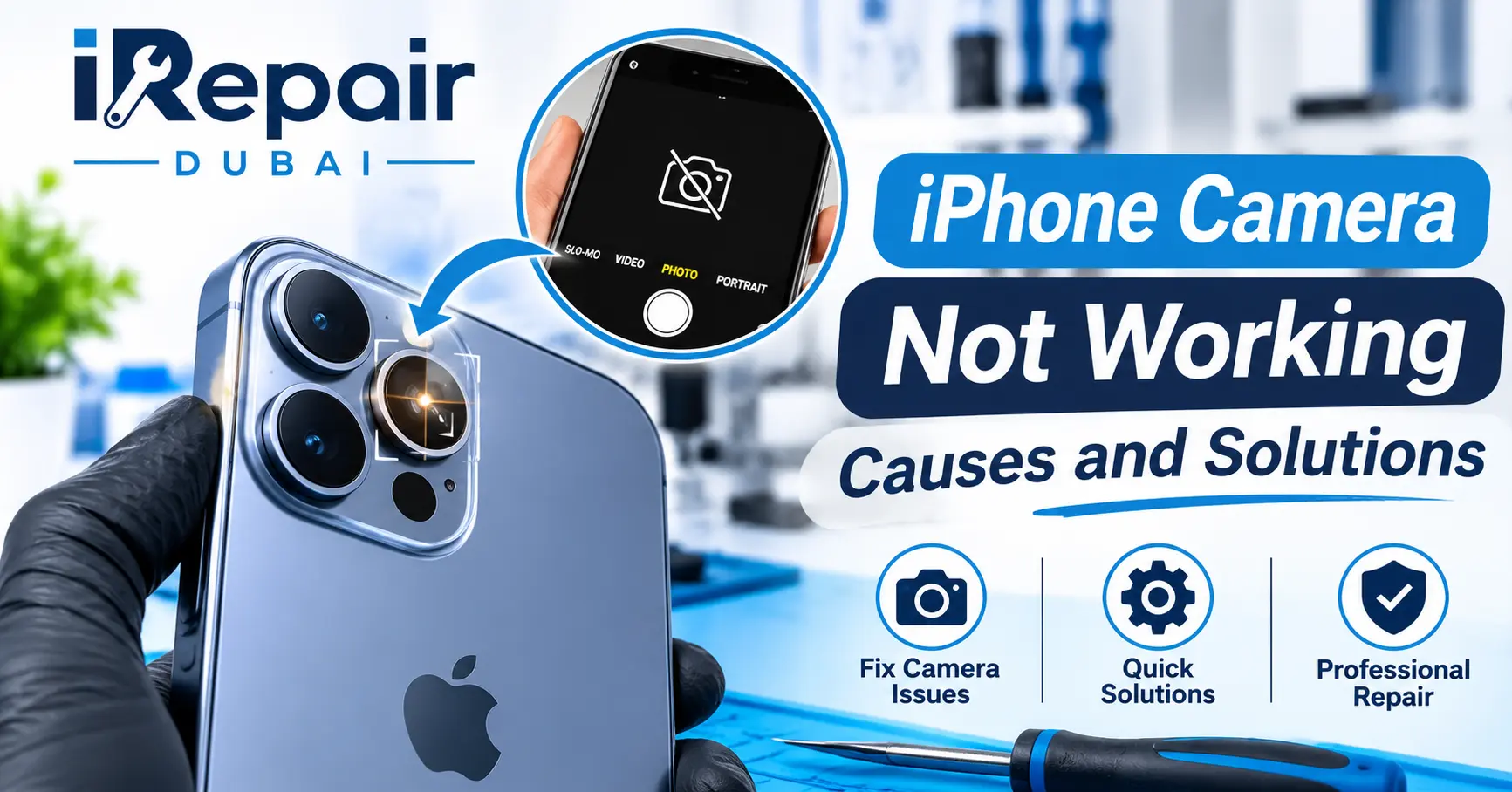
You open the camera app and get nothing but a black screen. Or your photos look blurry and the app freezes halfway through a shot. When an iPhone camera not working problem hits, it’s more than a small glitch, especially if you rely on your phone for work or for family photos you can’t retake. Sometimes an iPhone camera quality suddenly bad is the first warning, long before the camera gives up completely.
Here’s the good news. A lot of camera problems have easy fixes. Below, we’ll go through the usual causes, a few things you can try at home, and the signs that tell you it’s time to hand the phone to a professional.
Common iPhone Camera Problems
Every phone fails a little differently. These are the issues we hear about most, and they hit old and new models alike. Even an iPhone 11 camera not working can come down to the same handful of causes as a much newer phone.
iPhone Camera Black Screen
You tap the camera app and get black. Nothing else. People often ask why is my iPhone camera showing a black screen when it worked fine a minute ago. Sometimes flipping between the front and rear cameras brings the picture back. In most cases, an iPhone camera black screen turns out to be a software hiccup, even though a hardware fault is still possible. People with an iPhone 14 camera black screen tend to see the same thing, and a restart is the first thing worth trying.
iPhone Camera Not Focusing
The image keeps going soft and the camera just can’t lock onto your subject. If your iPhone camera not focusing issue showed up out of nowhere, check the lens for dirt first. A magnetic case or a worn focus motor can cause it too. That kind of iPhone camera focus problem is common, and users with an iPhone 13 camera not focusing usually find a smudge or a case magnet behind it.
iPhone Camera Blurry Photos
Smudges or a thin film on the lens are the usual reason for blurry shots. Wiped the lens and the photos still look foggy? Dust or moisture may have crept inside, and your iPhone camera blurry problem won’t go away until that’s cleaned out. A fall can start it too. If the blur began right after a drop, take iPhone camera blurry after drop seriously, because something inside may have shifted. The same goes for an older phone, where an iPhone 12 camera blurry complaint can be a sign of wear.
iPhone Camera Shaking
A camera that shakes or buzzes is a common complaint. Strong magnets and heavy vibration can throw off the stabilisation system, so iPhone camera shaking often traces back to a magnetic mount that wasn’t made for your phone. Some people notice it right after installing an update, and iPhone camera shaking after update points more toward software. On the iPhone 15 Pro camera shaking is often tied to the optical stabilisation, so keep magnets away from the lens.
iPhone Front Camera Not Working
If your selfie camera shows black or just won’t open, restart the phone first. Still stuck? Then your iPhone front camera not working problem may need the module checked.
iPhone Rear Camera Not Working
The rear camera has more parts than the front one, so there are more ways for it to go wrong. With an iPhone rear camera not working, you might get a black screen, a flicker, or a camera that refuses to switch lenses. We see this on every generation, including a recent iPhone 16 Pro camera not working case that turned out to be a loose connector.
Why Is Your iPhone Camera Not Working?
Before you try anything, it helps to know what’s behind it. The reason the iPhone camera is not working usually falls into one of four groups.
Software Glitches and iOS Updates
A bug in the camera app or a failed update can stop the camera from loading at all. It’s the most common cause, and the easiest one to fix. If your iPhone camera keeps freezing right after an update, a software bug is the likely suspect.
Damaged Camera Hardware
Camera modules wear out. Heat can hurt them, and so can a hard knock. Once the hardware is damaged, no setting or update is going to bring it back.
Dust or Moisture Inside the Lens
Over the months, dust finds tiny gaps and slips inside. If you notice small dark spots in your photos, that’s usually an iPhone camera dust inside lens problem. Moisture gets in after humid weather or a splash. When iPhone camera moisture inside lens is the cause, you’ll usually see haze or foggy photos.
Physical Damage After a Drop
A drop can crack the lens glass or nudge parts out of place. The tricky part is that you can’t always see it. Your phone might look perfectly fine while the camera is hurt, and an iPhone camera glass broken by a fall isn’t always obvious at first glance.
How to Fix iPhone Camera Issues
Try these in order. Most take under a minute.
Simple Fixes for iPhone Camera Not Working
Start with the basics. They fix plenty of cases without any repair. If one doesn’t work, just move on to the next.
Restart Your iPhone
Hold the side button and a volume button at the same time until the power-off slider shows up, then slide it. Give it a few seconds and switch the phone back on. That’s often enough to clear a small glitch in the camera app.
Check Camera Settings
Open Settings, tap Camera, and check that nothing’s set in a way that might block the camera. Then close the camera app all the way and reopen it.
Update Your iOS Version
Apple squashes bugs with new updates. Go to Settings, then General, then Software Update. If something’s waiting, install it while the phone is charging. Apple’s own iPhone support page has more official tips if you want them.
Clean the Camera Lens
Take a soft, dry microfiber cloth and wipe the lens gently. Pull the case off first, because some cases sit over part of the lens. Skip liquids and rough fabric, since both can scratch the glass.
Reset Camera Settings
Is the camera still acting weird? Go to Settings, then General, then Transfer or Reset iPhone, and pick Reset All Settings. Your photos and apps stay where they are, but it’s smart to back up the phone first, just in case.
When Does Your iPhone Camera Need Repair?
Nothing above worked? Then the problem is probably inside the phone. Catching the signs early saves you time and stops the damage from getting worse.
Signs of Camera Hardware Failure
Watch out for these:
- The camera stays black even after a restart and an update
- Photos have spots, lines or constant haze
- The camera shakes or makes a buzzing noise
- The lens is cracked or loose
When Camera Lens Replacement Is Needed
An iPhone camera lens cracked in a fall isn’t only ugly. It lets dust in and wrecks your photo quality. This is where a lens replacement makes sense, and it usually costs far less than swapping the whole camera. If only the outer cover is shattered, an iPhone camera glass replacement is often all you need.
Professional Camera Diagnosis
A trained technician can test the camera module, the connectors and the software. That tells you whether you need a small repair or a full replacement.
When iPhone Camera Not Working Needs Expert Repair
If your iPhone camera’s not working issue returns after a reset, or it started after a drop or water exposure, stop with the home fixes. Every extra attempt can make things worse. Get it checked properly instead. If you’re typing iPhone camera repair near me into Google, choose a shop that tests the phone before it gives you a price.
iPhone Camera Repair Cost in Dubai
Price is the first thing most people ask about. The honest answer is that it depends on what’s wrong. A quick fix costs a lot less than a brand new camera module.
Factors Affecting Repair Prices
Three things mostly decide the final iPhone camera repair cost:
- Your iPhone model
- Which camera is damaged (front, rear or lens only)
- Whether the fault is software or hardware
It also helps to ask for the iPhone camera repair price in writing before any work begins.
Camera Replacement vs Repair
Sometimes a small job is enough, like a basic iPhone camera lens replacement where only the glass is changed. Other times the whole module has to go, and that’s when the iPhone camera replacement cost goes up. A good technician will walk you through both options and give you a clear quote first. On a newer phone, an iPhone 15 camera lens replacement is often cheaper than a full module swap. For more details, check our iPhone Camera Repair Dubai.
Why Choose iRepair Dubai for Camera Repair?
Your phone holds your photos and memories, so you want people who treat it with care.
Experienced iPhone Technicians
Our team repairs iPhone cameras every single day. They’ve seen the common faults many times over, so they find the cause quickly. Jobs like an iPhone back camera replacement are routine for them.
Reliable Camera Repair Solutions
We look at the problem first and explain it in plain words. Then you decide if you want to go ahead. Many camera faults get a fast, same-day fix, and that includes iPhone camera lens repair Dubai jobs.
Professional Repair and Testing
Once the repair is done, we test both cameras. After an iPhone front camera replacement, for example, we check focus, flash and video, so you walk out with a camera that actually works.
Frequently Asked Questions
Why Is My iPhone Camera Showing a Black Screen?
Most of the time it’s a software glitch. Restart the phone and update iOS. If the screen stays black after that, the camera module or its connector could be damaged.
Can a Blurry iPhone Camera Be Fixed?
In most cases, yes. Clean the lens first. If photos are still blurry, dust, moisture or a damaged lens could be the reason, and a technician can sort that out.
How Much Does iPhone Camera Repair Cost in Dubai?
It depends on your model and the kind of damage. Our team checks the phone and gives you a quote before starting anything.
Can I Fix My iPhone Camera Without Replacing It?
Often you can. A restart, an update and a clean lens solve a surprising number of problems. You only need a replacement when the hardware itself is damaged.
Still Facing an iPhone Camera Not Working Problem?
Don’t put up with a black screen or blurry photos any longer. If your iPhone camera not working issue just won’t go away, visit iRepair Dubai. Our technicians will check your phone, explain the fault clearly and get your camera working again.
What Else to Know Before You Book a Camera Repair
A camera problem is rarely just about the lens. Before any part is replaced, the fault has to be found first. That is the difference between a quick fix that lasts and a replacement that does not solve the real problem.
The Faults We Find Most Often in Dubai
In Dubai, a few causes come up again and again:
- A drop that hits the lens first. Even a small knock can crack the lens, loosen the module or damage the autofocus motor.
- Dust and sand. Fine dust and sand get into small gaps around the lens and, over time, work their way inside.
- Moisture trapped inside the phone. A wet lens can look like a smeared photo, and drying it the wrong way can make things worse.
- A loose or damaged connector or ribbon cable. If the cable is not seated properly, the camera can cut out, go black or fail to focus.
- An autofocus motor that has worn down. The camera may hunt for focus, take soft photos or stop focusing at one distance.
- A previous repair done without care. A pinched connector or a part fitted badly can leave the camera worse than before.
Watch for these extra warning signs too: the camera app keeps crashing, one camera works and the other does not, colours look faded or washed out, or every shot looks foggy or hazy. A proper diagnosis sorts out whether the fault is the lens, the autofocus motor, the connector or the full module, and whether the board needs a closer look.
Why Fixing an iPhone Camera Yourself Rarely Works
It is tempting to try a quick fix at home, but camera repairs are easy to get wrong:
- Prying the lens off without heat can crack the glass and damage the module underneath.
- Rice or alcohol do not dry out a camera properly and can leave residue or moisture behind.
- A cheap, non-genuine lens can make photos worse, with soft focus, glare or wrong colours.
- Pulling the wrong cable can damage other parts, including Face ID.
- Without proper testing, a fault can look fixed and then come back a few days later.
A failed home repair often makes the real fix harder and more expensive, so it is usually better to get the fault diagnosed properly first.
How iRepair Dubai Repairs iPhone Cameras
Every camera repair at iRepair Dubai follows the same careful process:
- Diagnose first. The technician tests the lens, the autofocus motor, the connectors and the software before replacing anything, so you only pay for the part that is actually faulty.
- Remove the faulty part with care. The phone is opened with the right heat and tools, protecting the ribbon cables and the sensor.
- Fit genuine parts matched to your exact iPhone model. A part that is close is not good enough for focus and image quality.
- Test with real photos. After the repair, the technician checks focus, exposure, stabilisation and clarity on both cameras, not just whether the app opens.
- Check the board if needed. If the fault is not the module itself, a board-level check can find the real cause instead of replacing parts at random.
Camera Repair Cost in Dubai: What the Starting Price Means
Camera repair at iRepair Dubai starts from AED 150, with the final price depending on your iPhone model, which camera is damaged, and whether the job is a lens, an autofocus motor or a full camera module. That is why the technician gives you a clear quote before any work begins. Be wary of very low quotes that skip the diagnosis and then add charges later, or that use cheap parts that do not last.
Doorstep iPhone Camera Repair Across Dubai
You do not have to visit a shop. iRepair Dubai offers same-day doorstep camera repair across Dubai, including Downtown Dubai, Dubai Marina, Business Bay, JLT, Palm Jumeirah, Al Barsha, Dubai Hills, Arabian Ranches, Damac Hills, Emirates Hills, Discovery Gardens, The Greens, Jumeirah, Al Qusais, Deira, International City, Dubai Silicon Oasis, Mirdif, Motor City, Sports City, Al Furjan, JVC and JVT. Most camera faults are diagnosed and completed within 30 minutes at your home or office, so you can keep working while the repair is done.
More Answers About iPhone Camera Repair
Can a cracked lens be fixed without replacing the whole camera?
Often, yes. If only the outer lens cover is cracked, replacing just the lens glass can be enough. If the module or the autofocus motor is damaged, the full camera may need to be replaced.
My photos are blurry even though the lens looks fine. Why?
The fault is often inside the phone. A worn autofocus motor, a loose connector or a sensor fault can all make photos soft even when the outside of the lens looks clean.
Will camera repair affect Face ID?
No. Face ID is a separate system, and a careful camera repair protects it. That is one reason to have the work done by a technician who knows which cables and sensors to leave alone.
Can dust behind the lens be cleaned instead of replacing the camera?
Sometimes, if it is caught early. A technician can open the phone, clean the lens and reseal it. If dust has already damaged the sensor or the module, a replacement may be needed.
How long does an iPhone camera repair take?
Most camera faults are diagnosed and completed within 30 minutes, once the faulty part is confirmed.
Is doorstep camera repair available?
Yes. iRepair Dubai provides same-day doorstep camera repair across Dubai, at your home or office.
What warranty do I get on a camera repair?
Every repair carries a 3 month warranty, and repairs with original parts carry a 1 year warranty.
Book Your iPhone Camera Repair
Send your iPhone model and a short description of the camera problem to iRepair Dubai on WhatsApp at +971 50 167 8802 to get an accurate quote and a same-day appointment at your home or office. You get a clear quote before the work begins, genuine parts matched to your model, and a repair that is tested with real photos before the technician leaves.