

iPhone Back Glass Repair Dubai: Cracked Back Fixed Today, Camera Untouched

iPhone back glass repair Dubai means we take off the cracked panel with laser tools, fit genuine glass, and test your camera and wireless charging before the phone goes back in your hand. It’s usually done in one visit. A smashed back doesn’t mean a dead phone, so you don’t need a new iPhone, just new glass. Picture this. Your phone slips out of your hand, lands on its corner, and the screen somehow comes out fine. Then you flip it over and the back looks like a spider web. Your stomach drops, but the damage is usually much smaller than it looks. At iRepair Dubai our iPhone back glass repair Dubai service comes to your door or welcomes you at our Al Quoz shop, with prices starting from AED 150 once we have inspected the damage. iPhone Back Glass Repair Dubai: What a Cracked Back Is Really Doing to Your Phone A cracked back often gets ignored because the phone still works. That’s understandable, but the glass does more than make the phone look good, and leaving it broken usually costs more later. Dust, Moisture and Fogging Under the Glass The moment the glass cracks, the seal around the body starts to let go. Dubai’s dust and humidity get in fast. Give it a few weeks and you might spot some fog or a yellowish tint under the glass. Moisture sitting near the internals is bad news, and it can turn a simple glass job into a much bigger repair. Wireless Charging and Camera Problems The back glass sits right next to your camera and the wireless charging coil. So when it cracks, it’s not just a looks problem. A crack that keeps spreading can split the lens cover, and a damaged back may stop your phone from charging properly on a pad. Replacing the glass early protects both, and it’s a much cheaper fix than replacing the camera or the charging parts later. Sharp Edges and a Lower Resale Value Jagged edges cut fingers and chew through phone cases. They also drag the resale value down. A buyer who sees a cracked back will either walk away or try to knock the price down. Getting it fixed keeps the phone looking cared for, and it makes the phone easier to sell later. Why iPhone Back Glass Cracks So Easily Most back glass breaks are not a sign of a weak phone. The glass is thin, it sits over the wireless charging coil, and a hard hit in the wrong place is often enough. These are the causes we see most often in Dubai: A short drop onto a corner: the corner takes the full force, and the crack spreads from there. No case, or a very thin case: without a case, there is nothing to absorb the impact when the phone falls. Pressure in a tight pocket or bag: keys, coins and other hard objects pressing against the glass, especially when you sit down. Heat: Dubai heat, and temperature changes such as a phone left on a car dashboard, can weaken the glass and the adhesive holding it. A weak point from a previous repair: if the glass was replaced before with a poor fit or weak adhesive, it can crack again more easily. A hit on the camera bump: the raised camera area sticks out, so a knock there can crack the glass around the lenses. Which Type of Crack Does Your iPhone Have? Cracks come in different types, and the one you’ve got decides how quick the repair is and how much it costs. Here’s how to tell them apart. Spider Cracks and Small Chips These usually start when the phone lands on a corner. At first they look like a small crack, but the lines spread out like a web, and they keep growing if you don’t fix them. The glass is still in place, so this is the simplest type of repair. Shattered or Missing Glass If pieces are missing, don’t wait. Sharp edges can cut your fingers, and dust can get inside the phone. If the glass is missing in places, it’s time for a full panel replacement. Cracks Reaching the Camera or Frame A crack heading toward the camera area or the metal frame is still serious. If the camera glass is cracked, it can affect your photos. If the frame is bent, the new glass won’t sit right. In this case, we need to check the phone before we start, so we can tell you whether a simple glass replacement will be enough. Back Glass Repair or a Full Back Cover Replacement? “Back cover” and “back glass” usually mean the same thing: the glass panel on the back of your iPhone. Since the iPhone 8, Apple has used glass on the back so wireless charging can work through it, instead of the metal backs used on older phones. If only the glass is cracked and the frame underneath is sound, a glass-only repair is usually the cheaper option. If the crack reaches the edge of the phone, the frame is dented, the glass is shattered, or the structure underneath is damaged, a full back cover replacement is the safer choice. We will tell you which one your phone needs after inspection, before any work starts. Either way, you do not need a whole new phone. Your logic board, screen and battery stay in place; only the damaged rear panel is replaced, and your data and settings are untouched. How We Replace the Glass Without Damaging What Is Underneath The back glass sits right on top of some delicate parts, so how it’s taken off matters as much as the glass itself. Here’s how we do it at iRepair Dubai. Inspection and an Honest Quote First we look over the glass, the frame and the camera area. Then we give you a clear price, so you know what you’re paying before we start. Laser Removal, Frame Left Untouched We use laser
iPhone Camera Repair Dubai: Common Problems and Fixes
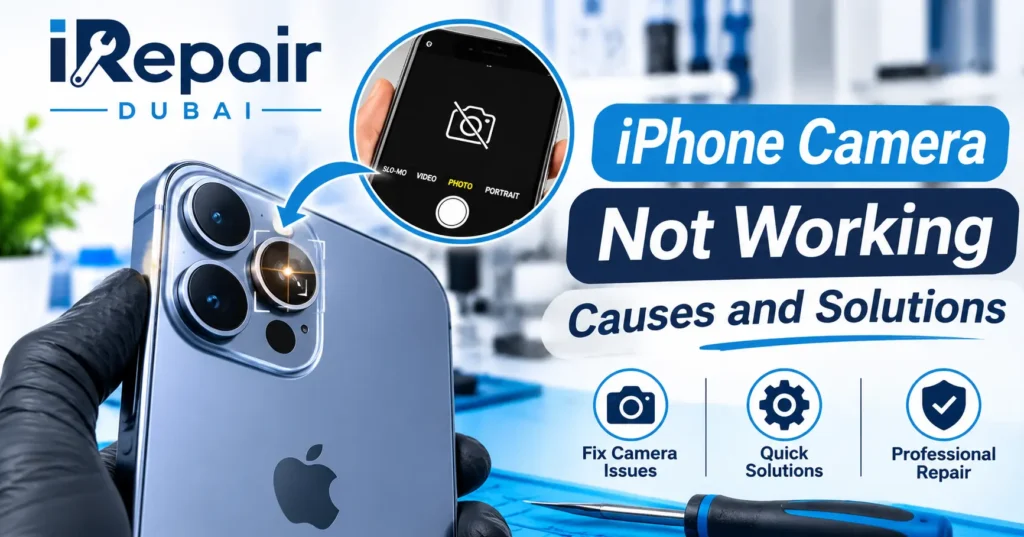
You open the camera app and get nothing but a black screen. Or your photos look blurry and the app freezes halfway through a shot. When an iPhone camera not working problem hits, it’s more than a small glitch, especially if you rely on your phone for work or for family photos you can’t retake. Sometimes an iPhone camera quality suddenly bad is the first warning, long before the camera gives up completely. Here’s the good news. A lot of camera problems have easy fixes. Below, we’ll go through the usual causes, a few things you can try at home, and the signs that tell you it’s time to hand the phone to a professional. Common iPhone Camera Problems Every phone fails a little differently. These are the issues we hear about most, and they hit old and new models alike. Even an iPhone 11 camera not working can come down to the same handful of causes as a much newer phone. iPhone Camera Black Screen You tap the camera app and get black. Nothing else. People often ask why is my iPhone camera showing a black screen when it worked fine a minute ago. Sometimes flipping between the front and rear cameras brings the picture back. In most cases, an iPhone camera black screen turns out to be a software hiccup, even though a hardware fault is still possible. People with an iPhone 14 camera black screen tend to see the same thing, and a restart is the first thing worth trying. iPhone Camera Not Focusing The image keeps going soft and the camera just can’t lock onto your subject. If your iPhone camera not focusing issue showed up out of nowhere, check the lens for dirt first. A magnetic case or a worn focus motor can cause it too. That kind of iPhone camera focus problem is common, and users with an iPhone 13 camera not focusing usually find a smudge or a case magnet behind it. iPhone Camera Blurry Photos Smudges or a thin film on the lens are the usual reason for blurry shots. Wiped the lens and the photos still look foggy? Dust or moisture may have crept inside, and your iPhone camera blurry problem won’t go away until that’s cleaned out. A fall can start it too. If the blur began right after a drop, take iPhone camera blurry after drop seriously, because something inside may have shifted. The same goes for an older phone, where an iPhone 12 camera blurry complaint can be a sign of wear. iPhone Camera Shaking A camera that shakes or buzzes is a common complaint. Strong magnets and heavy vibration can throw off the stabilisation system, so iPhone camera shaking often traces back to a magnetic mount that wasn’t made for your phone. Some people notice it right after installing an update, and iPhone camera shaking after update points more toward software. On the iPhone 15 Pro camera shaking is often tied to the optical stabilisation, so keep magnets away from the lens. iPhone Front Camera Not Working If your selfie camera shows black or just won’t open, restart the phone first. Still stuck? Then your iPhone front camera not working problem may need the module checked. iPhone Rear Camera Not Working The rear camera has more parts than the front one, so there are more ways for it to go wrong. With an iPhone rear camera not working, you might get a black screen, a flicker, or a camera that refuses to switch lenses. We see this on every generation, including a recent iPhone 16 Pro camera not working case that turned out to be a loose connector. Why Is Your iPhone Camera Not Working? Before you try anything, it helps to know what’s behind it. The reason the iPhone camera is not working usually falls into one of four groups. Software Glitches and iOS Updates A bug in the camera app or a failed update can stop the camera from loading at all. It’s the most common cause, and the easiest one to fix. If your iPhone camera keeps freezing right after an update, a software bug is the likely suspect. Damaged Camera Hardware Camera modules wear out. Heat can hurt them, and so can a hard knock. Once the hardware is damaged, no setting or update is going to bring it back. Dust or Moisture Inside the Lens Over the months, dust finds tiny gaps and slips inside. If you notice small dark spots in your photos, that’s usually an iPhone camera dust inside lens problem. Moisture gets in after humid weather or a splash. When iPhone camera moisture inside lens is the cause, you’ll usually see haze or foggy photos. Physical Damage After a Drop A drop can crack the lens glass or nudge parts out of place. The tricky part is that you can’t always see it. Your phone might look perfectly fine while the camera is hurt, and an iPhone camera glass broken by a fall isn’t always obvious at first glance. How to Fix iPhone Camera Issues Try these in order. Most take under a minute. Simple Fixes for iPhone Camera Not Working Start with the basics. They fix plenty of cases without any repair. If one doesn’t work, just move on to the next. Restart Your iPhone Hold the side button and a volume button at the same time until the power-off slider shows up, then slide it. Give it a few seconds and switch the phone back on. That’s often enough to clear a small glitch in the camera app. Check Camera Settings Open Settings, tap Camera, and check that nothing’s set in a way that might block the camera. Then close the camera app all the way and reopen it. Update Your iOS Version Apple squashes bugs with new updates. Go to Settings, then General, then Software Update. If something’s waiting, install it while the phone is charging. Apple’s own iPhone support page has more official tips
iPhone Screen Repair Dubai: Cost and Same Day Doorstep Service
iPhone screen repair Dubai costs depend mainly on your model and the type of screen it uses. A cracked or dead display does not have to mean a new phone. At iRepair Dubai we replace screens the same day with genuine parts, so you can see the price, book the repair and get your iPhone back fast. How Much Does iPhone Screen Repair Dubai Cost? The price of a screen replacement changes from one model to another. At iRepair Dubai you receive a clear quote before any work begins so there are no surprises. You can request a free quote on our Get A Quote page or read our iPhone repair cost guide for wider pricing details. Screen repair cost in Dubai starts from around AED 150 for older iPhones, and climbs for Pro and Pro Max models with OLED displays. If you can, send your model and a photo of the damage and we will give you a straight price before you commit, with no hidden charges. iPhone Screen Replacement Price by Model Pricing follows the size and technology of the display. Larger and newer panels cost more to replace while older models are usually the most affordable to fix. Screen Prices for iPhone 17 and 16 and 15 These models use advanced OLED panels. Pro and Pro Max versions usually cost the most because their displays are larger and more advanced. Screen Prices for iPhone 14 and 13 and 12 and 11 The iPhone 14 and iPhone 13 and iPhone 12 use OLED displays while the iPhone 11 uses an LCD panel. The iPhone 11 is usually the most affordable of these to repair. iPhone Screen Replacement Prices in Dubai Model Screen Replacement (AED) iPhone 14 / 14 Pro AED 650 – 850 iPhone 14 Pro Max AED 800 – 950 iPhone 15 / 15 Pro AED 750 – 900 iPhone 15 Pro Max AED 900 – 1,250 iPhone 16 / 16 Pro AED 850 – 1,250 iPhone 16 Pro Max AED 1,050 – 1,250 iPhone 17 / 17 Pro AED 1,200 – 1,350 iPhone 17 Pro Max AED 1,250 – 1,550 iPhone 18 / 18 Pro AED 1,550 – 1,750 iPhone 18 Pro Max AED 1,950 – 2,150 Prices depend on your exact model and screen type. You get the exact quote before any work begins, with no hidden charges. Every repair carries a 3 month warranty, and repairs with original parts carry a 1 year warranty. For iPhone 11, 12 and 13 screen prices, contact us for a quote. Which iPhone Models Do We Repair? We repair screens across the iPhone range, including iPhone 11, iPhone 11 Pro and iPhone 11 Pro Max, and iPhone 12, iPhone 13, iPhone 14, iPhone 15, iPhone 16 and iPhone 17 series phones. Tell us your exact model when you ask for a quote, because the display type and the price depend on it. What Affects the Cost of a Screen Replacement Three things shape the final price. These are the phone model and the display type and the quality of the replacement part. Our technician checks all three before giving you the final amount. LCD vs OLED Display Cost OLED panels are thinner and more complex than LCD panels so they cost more to replace. LCD screens are simpler and cheaper to repair but they appear mostly on older models. Genuine vs Compatible Parts Cost Genuine parts cost more than compatible ones but they deliver better color accuracy and touch response. The extra cost often pays off on newer phones that you plan to keep for years. Same Day Screen Replacement for Your iPhone Speed matters when your only phone has a broken display. If you want iPhone screen repair Dubai service without losing your whole day the process is simple. A technician starts as soon as you approve the quote and many replacements are completed the same day. You can read more on our phone screen repair service page. How Long Does a Screen Replacement Take? The time depends on your model and the condition of your phone. A straightforward replacement is usually completed in 30 to 60 minutes, while a phone with extra damage may need more time for inspection. Fast Fix for Everyday Cracks A simple cracked glass or touch problem is the quickest case and it is usually completed the same day. Emergency Cracked Screen Repair If your display is failing fast or the touch has stopped completely contact us right away. We are open 24 hours and we arrange the earliest available slot. What Does iPhone Screen Repair Actually Involve? An iPhone screen and its display are one unit, so a screen repair replaces the full display, including the glass. It needs the right tools and experience: a job done badly can leave you with a screen that loses Face ID, touch sensitivity or True Tone. Before any work starts, the technician also checks for other damage from the same fall, such as the charging port or the camera lens. If anything else is wrong, you are told about it upfront, before you commit. How the Repair Actually Works We check your phone first, instead of guessing what is wrong. You are told the real price before any work starts, with no surprise costs. The old screen comes off and the new one goes on. We test the touch, brightness and colours. We do a final check before handing the phone back to you. Every part is checked before it is used, and after the repair we test the display, touch, cameras, speakers and charging. Don’t Ignore a Cracked Screen A cracked screen is not only a cosmetic problem. Get it checked early if you notice any of these signs: The glass is cracked or shattered. The touch does not respond, or the screen taps by itself (ghost touch). The display flickers, looks faded or dimmer, or goes dark. Green or vertical lines appear on the screen. Face ID starts acting strangely after